Photo to laser
Photo to laser: prepare photos for engraving on any material
An engraved photo only looks good when it's prepared for that material and that machine. The Studio does it for you: contrast, sharpness, dithering and cut-out, with suggested settings so it engraves right the first time.
Create a free professional account →Runs in your browser, on desktop and mobile. Nothing to install. In English and Portuguese.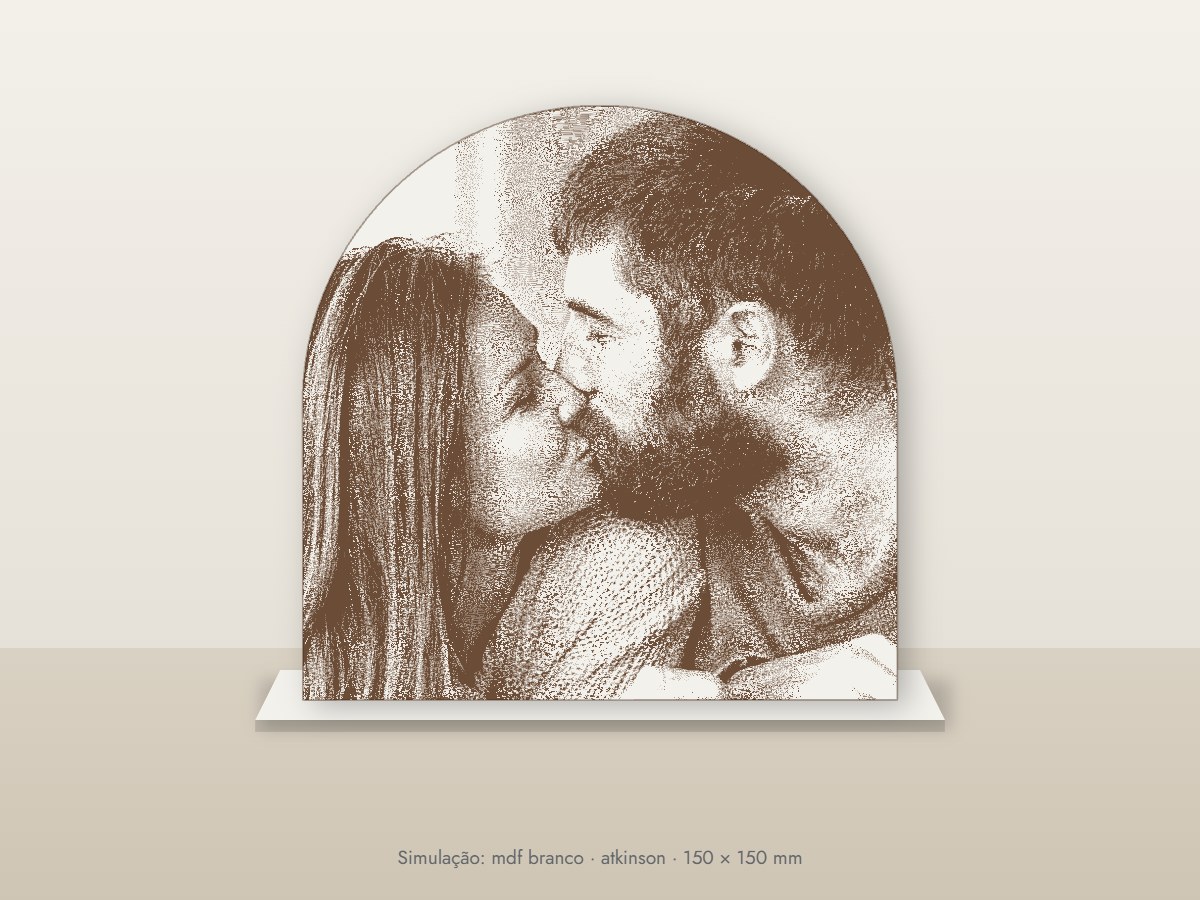
Who it's for
- Workshops engraving photos on wood, MDF, acrylic, slate or metal
- Personalised gift shops (Mother's Day, weddings, memorials)
- Diode laser owners who want professional results
- Anyone wasting material and time on engraving tests
How it works, step by step
Upload the photo
From a phone or camera, as JPG, PNG or WEBP.
Choose material and machine
17 materials and diode, CO2 or fiber lasers. The Studio adjusts the processing and suggests power and speed.
Choose the finish
Stipple, halftone, lines, spiral, waves or continuous tone. AI can cut out the person and build a piece in their shape with a slot-in stand.
Preview the piece
Realistic preview on the chosen material, with the estimated engraving time.
Download
Free PNG. Vector SVG, cut outline, calibration card and engraving sheet in the full pack (1 credit).
What you get
- 17 materials: white MDF, woods, bamboo, cork, leather, slate, granite, glass, acrylic, stainless steel, anodised aluminium, brass and more
- Diode, CO2 and fiber lasers
- AI person cut-out with a stand slot matched to material thickness
- Calibration card to dial in your machine
- Free PNG; full pack for 1 credit
How the professional account works
Create your account, free
With your business name and tax number (VAT or Tax ID; NIF in Portugal). You get 10 free credits.
Use the free tools
Vectorising, background removal, DTF prep, photo to laser, puzzles and neon don't use credits.
Credits only when you want
Pro AI and premium tools use credits or a monthly plan, with no lock-in. AI is never switched on by default.
Frequently asked questions
Which material gives the sharpest photo?
White MDF, light wood and black acrylic give very sharp photos. The Studio adapts the processing to each.
Does it work with diode lasers?
Yes. Pick your machine and the Studio suggests the right resolution, power and speed.
What is the calibration card for?
It's a small test file with several intensities: engrave it once and you know the right values for your material.
Can I make pieces cut to the person's shape?
Yes. AI finds the person, creates the cut outline and adds a slot-in base.
Try it with your own jobs
Built by a personalisation workshop that produces with laser, UV and DTF every day. Create your account and start with the free tools.