Image to vector converter
Convert images and logos to vector (SVG and DXF) for laser, vinyl and UV
Your customer sends a blurry JPG logo, a phone photo or a hand drawing. In seconds you get a clean vector with the right layers to engrave, cut, cut vinyl or UV print, without spending hours redrawing it in Illustrator.
Create a free professional account →Runs in your browser, on desktop and mobile. Nothing to install. In English and Portuguese.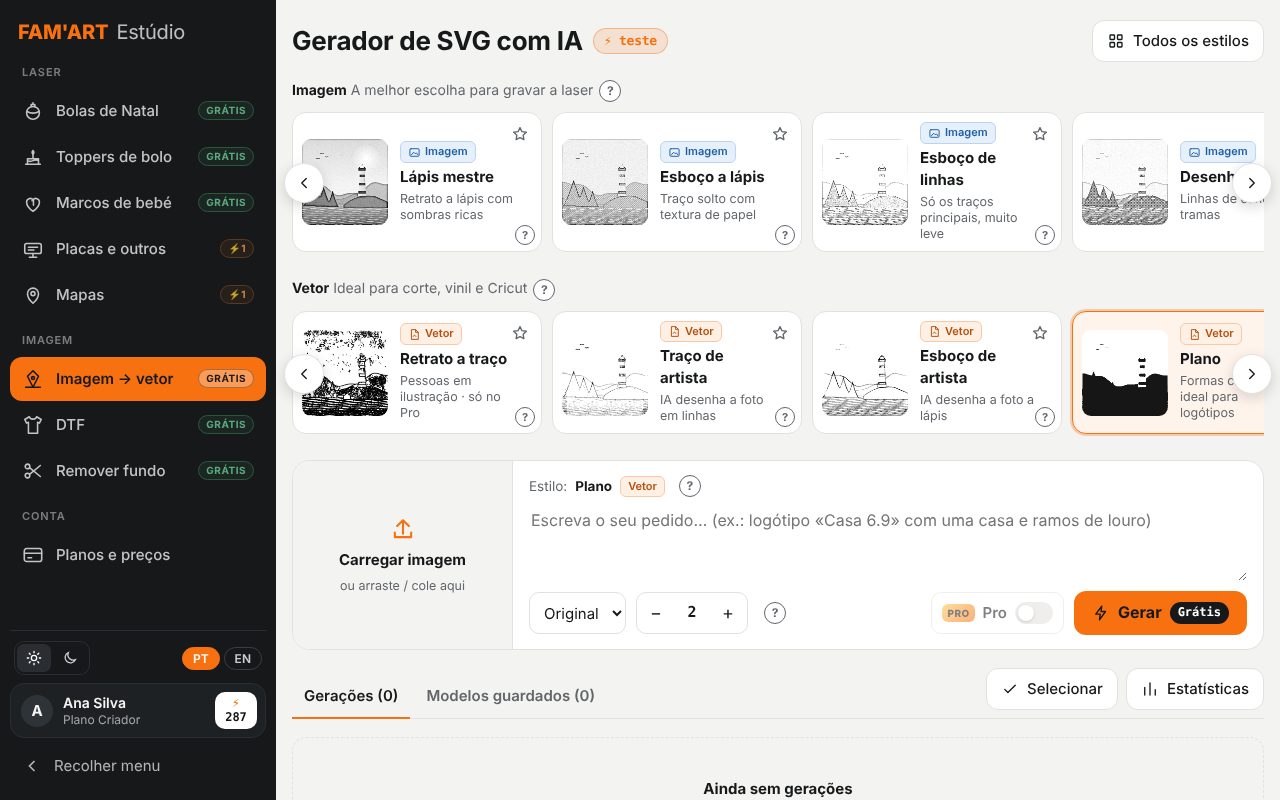
Who it's for
- Laser workshops (CO2, diode and fiber) that receive low-quality logos
- Vinyl and personalisation shops with a cutting plotter or Cricut
- Print shops and garment decorators who need the client's logo as a vector
- Makers selling personalised products at fairs, on Etsy or in their own store
How it works, step by step
Upload the image
JPG, PNG or WEBP, or paste with Ctrl+V. You can also type a prompt and generate the artwork from scratch with AI.
The Studio analyses the image
For flat-colour logos it detects the background and the true colours (ignoring shadows and blurry edges) and traces each colour with sub-pixel precision: straight lines, sharp corners and small lettering kept intact.
Choose a style
Logo (one colour), Colour logo (one layer per colour), Outline, Hand drawing, Silhouette, Sketch, Engraving and 20+ styles to engrave, cut or print.
Fine-tune and compare
See the result next to the original, choose how many versions you want and switch on Pro AI only when you need it (for example, line-art portraits).
Download
To-scale SVG, DXF or PNG with layers split by colour. Your generations are saved in your account.
What you get
- Output: SVG, DXF and PNG
- Flat-colour logos: exact tracing, no AI and no cost
- Stacked layers with no gaps between colours (vinyl and UV)
- Works with LightBurn, xTool Creative Space, Glowforge, Cricut Design Space, Silhouette Studio and Illustrator
- Optional Pro AI: 2 credits per generation, 4 per redrawn logo, 3 per portrait
How the professional account works
Create your account, free
With your business name and tax number (VAT or Tax ID; NIF in Portugal). You get 10 free credits.
Use the free tools
Vectorising, background removal, DTF prep, photo to laser, puzzles and neon don't use credits.
Credits only when you want
Pro AI and premium tools use credits or a monthly plan, with no lock-in. AI is never switched on by default.
Frequently asked questions
Why does my logo come out exact instead of redrawn?
When the image uses flat colours, the Studio doesn't use AI: it separates the colours and traces each one in detail, so it never invents shapes or changes the lettering.
Is the standard version free?
Yes, with a professional account. Pro AI is optional and only uses credits when you switch it on.
Does it work for vinyl cutting?
Yes. Colour logo gives one layer per colour, ready to cut in different vinyls and layer.
What if the image is small or blurry?
Run it through the Image enhancer first to upscale and clean it, or use Pro AI, which redraws the logo with more detail.
Can I sell products made with the vectors?
Yes. The full commercial licence is included in the Professional plan.
Try it with your own jobs
Built by a personalisation workshop that produces with laser, UV and DTF every day. Create your account and start with the free tools.