
DTF image prep
Prepare images for DTF and UV DTF: 300 dpi, transparent background, right size
Most DTF problems come from the file: low resolution, a background that isn't transparent, the wrong size. The Studio prepares the design and warns you before you print.
Create a free professional account →Runs in your browser, on desktop and mobile. Nothing to install. In English and Portuguese.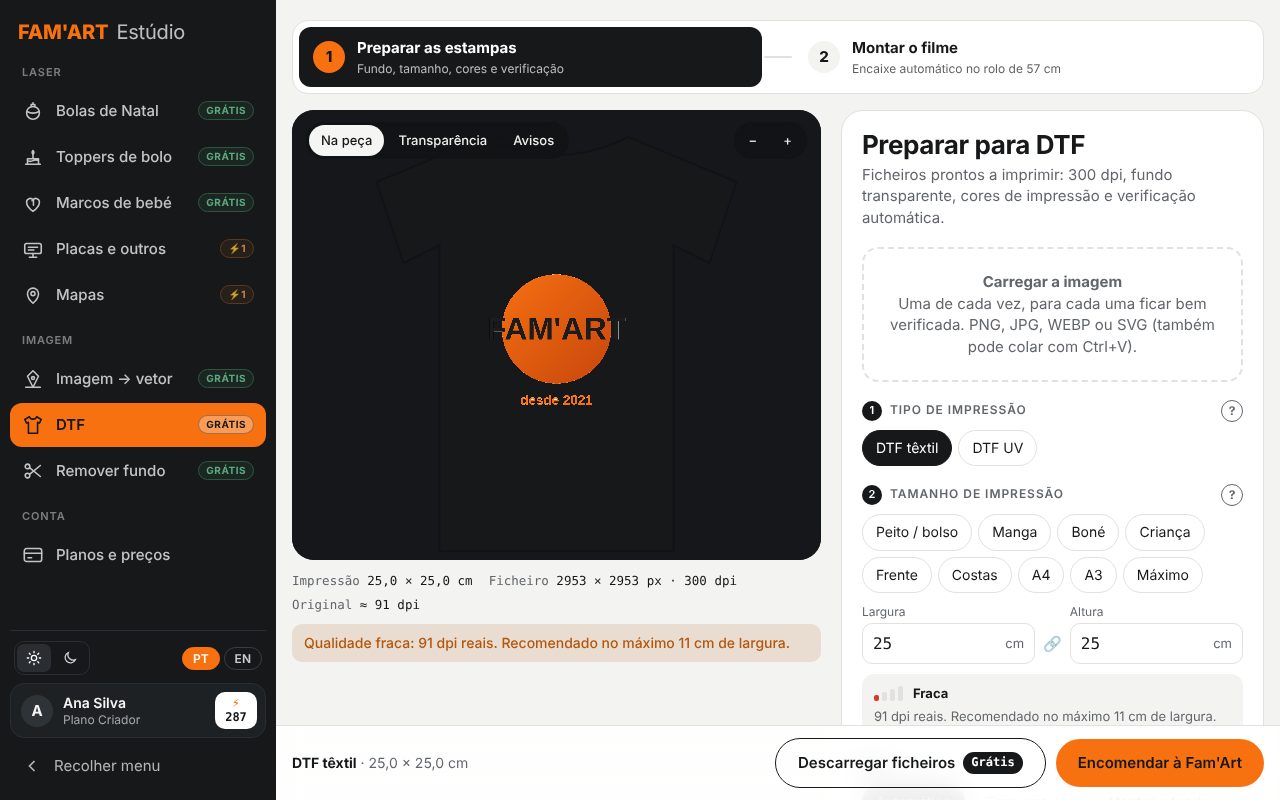
Who it's for
- DTF print shops and garment decorators
- Workwear and corporate apparel producers
- UV DTF for mugs, cups and promotional items
- Resellers handling customer files
How it works, step by step
Upload the image
PNG, JPG, WEBP or SVG.
Choose the placement
Standard chest, back, sleeve and cap sizes, or custom.
Clean it up
Background removal, colour adjustment and a real-resolution check for the chosen size.
Preview it
See the print at real size.
Download
300 dpi PNG with a transparent background; UV DTF also gets the white layer.
What you get
- Real dpi check at final size
- Placement sizes: chest, back, sleeve, cap
- Transparent background and colour adjustment
- Textile DTF and UV DTF (white layer)
- Free with a professional account
How the professional account works
Create your account, free
With your business name and tax number (VAT or Tax ID; NIF in Portugal). You get 10 free credits.
Use the free tools
Vectorising, background removal, DTF prep, photo to laser, puzzles and neon don't use credits.
Credits only when you want
Pro AI and premium tools use credits or a monthly plan, with no lock-in. AI is never switched on by default.
Frequently asked questions
What resolution does a DTF print need?
300 dpi at final size. The Studio warns you when the image isn't enough for the chosen size.
What if the image is small?
Upscale it first with the Image enhancer, then prepare it again.
Does it work for UV DTF?
Yes, the white layer is included.
Try it with your own jobs
Built by a personalisation workshop that produces with laser, UV and DTF every day. Create your account and start with the free tools.